If you have spent five minutes lurking on Reddit, Hacker News, or local LLM Discord channels, you have heard the dogma: "If you do not have a discrete NVIDIA GPU, do not bother with GPU offloading. Integrated graphics have no VRAM, share your system RAM, and will just slow you down. Stick to CPU with AVX2."
Even AI assistants will regurgitate this textbook wisdom with absolute confidence. They will cite memory bandwidth equations, point out your modest 64 Execution Units, and politely tell your Intel UHD graphics to go sit in the corner.
There was only one problem: when we actually tested it on real hardware, the integrated GPU was noticeably and consistently faster than the CPU alone.
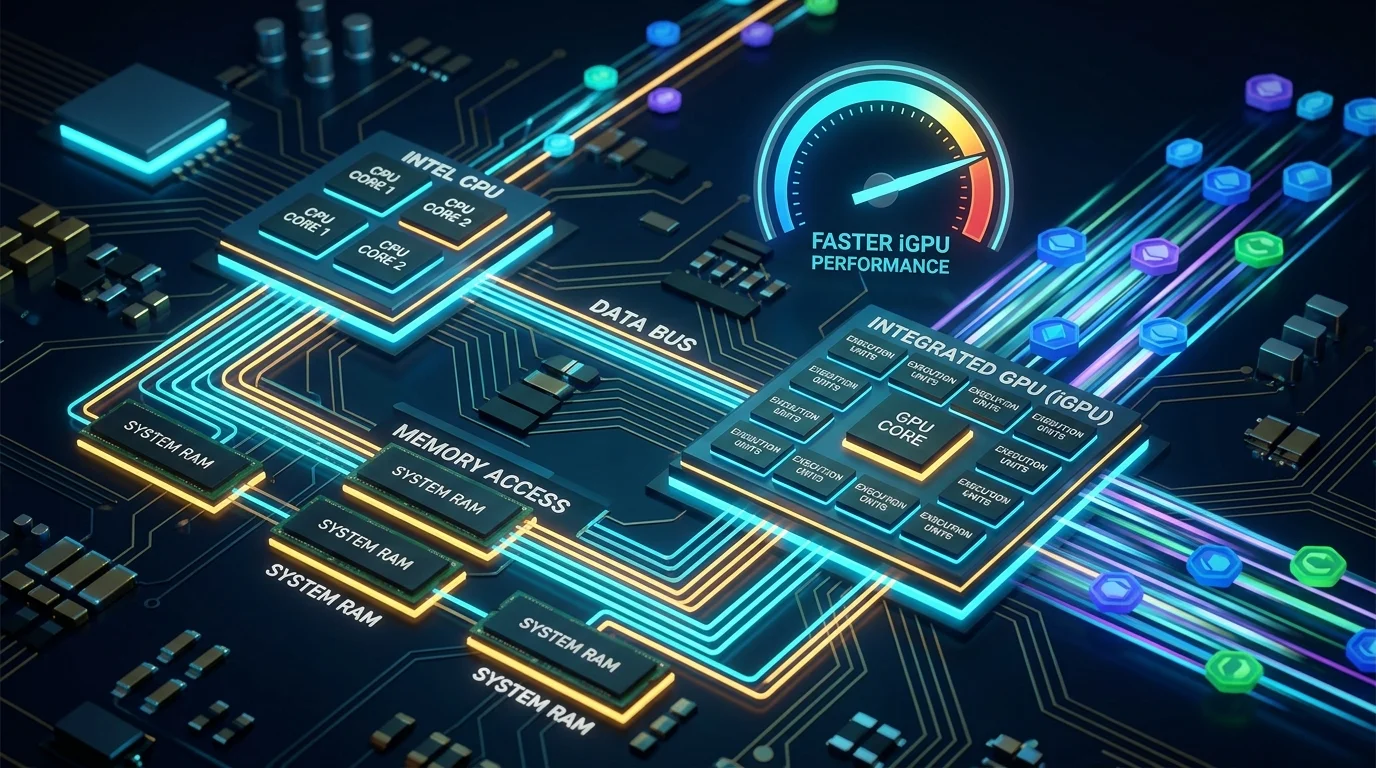
On a modest 12th Gen Intel Core i3-1220P laptop running Linux Mint, full iGPU offloading beat the CPU by +25% on MiniCPM-2B and +45% on Gemma-4-E4B.
It is not an earth-shattering 10x difference like jumping to a dedicated RTX 4090, but a clean 25% to 45% uplift is the difference between a sluggish response and a text stream that keeps up with your reading pace.
So how did the textbook theory get it wrong? And how can you run this simple A/B test on your own machine?
From Celeron N4100 to Modern i3: The Lingering Assumption
In our earlier experiments (Part 1: Running Local AI on a Celeron N4100 and Part 2: Self-Hosting Headless Ollama), we pushed an underpowered, 6-Watt Celeron laptop to its absolute limits. On that old machine, we had no choice but to stay on the CPU: its older Gen9 graphics had no viable compute path, and we had to rely on lightweight 0.5B models and prompt caching just to get usable speed.
When upgrading to a 12th Gen Core i3 laptop, the natural assumption was: "Well, it is still an integrated Intel GPU sharing system RAM, so the same CPU-only rule must apply."
That assumption was reinforced by standard theory.
The Textbook Theory (And Why Everyone Believed It)
To understand why the community repeated this advice for so long, look at the math everyone quoted.
Autoregressive token generation (the stream of words popping out one by one) is fundamentally memory-bandwidth bound. To predict each new token, the model reads all its billions of weights from memory into the processor.
The math seemed straightforward:
- A discrete GPU (like an RTX 4070) has dedicated GDDR6 VRAM pushing 504 GB/s.
- Your humble laptop has dual-channel system RAM pushing ~50 GB/s.
- Because an integrated GPU (iGPU) shares that exact same system RAM pool with the CPU, putting the workload on the iGPU provides zero extra memory bandwidth.
Combine that with memories of fragile OpenCL drivers and bloated Intel oneAPI/SYCL setups from 2023, and the consensus seemed reasonable: Just stick to CPU.
Reality Check: The Benchmark Numbers
On October 12, 2026, we ran a simple A/B throughput test using llama.cpp (build b11564) compiled with the Vulkan backend on an Intel Core i3-1220P (Alder Lake GT2, 64 EUs, Mesa 25.2.8 driver, 16 GB RAM).
We tested two modern quantized models:
- MiniCPM5-2B (Q4_K_M): ~1.45 GB weight footprint.
- Gemma-4-E4B (UD-Q4_K_XL): ~4.76 GB weight footprint.
Here are the results:
| Model | CPU Only (-ngl 0) |
iGPU Full Offload (-ngl 99) |
Speedup | iGPU Stability (StdDev) |
|---|---|---|---|---|
| MiniCPM5-2B | 11.55 t/s | 14.46 t/s | +25.2% | ±0.02 t/s |
| Gemma-4-E4B | 5.10 t/s | 7.38 t/s | +44.7% | ±0.01 t/s |
The iGPU was not only faster across prompt processing (pp) and token generation (tg), but it was also remarkably consistent. While the CPU run showed a ±0.44 t/s spread, the iGPU runs locked into a steady ±0.01 variance.
Why the Old Theory Crumbled
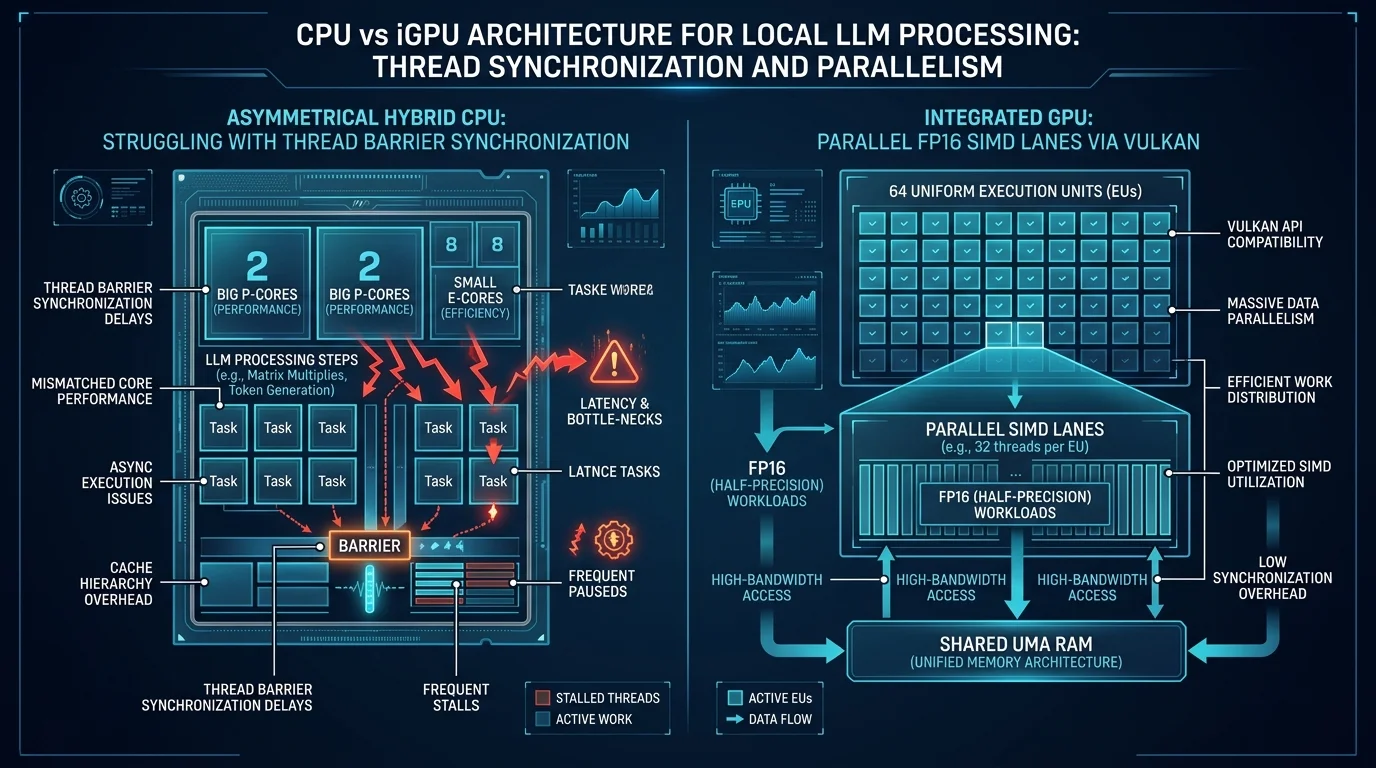
The classical theory missed two key realities: modern graphics APIs and modern CPU core architectures.
1. The Memory Bandwidth Fallacy
The textbook math assumes you hit the physical RAM speed limit immediately. But in practice: you only hit the memory bandwidth wall if your processor is fast enough to keep the bus fed.
If the CPU is bogged down by thread synchronization delays and per-token dequantization math, it cannot request weights fast enough to saturate the RAM bus in the first place.
The iGPU's higher generation speed (7.38 t/s vs 5.10 t/s on Gemma, and 14.46 t/s vs 11.55 t/s on MiniCPM) shows that it processes the per-token math more efficiently, keeping the data pipeline moving faster than the hybrid CPU cores could.
2. The Hybrid CPU Factor (Asymmetric Cores vs. Uniform GPU)
A likely architectural contributor to the CPU's lower throughput is Intel's hybrid core design. The Core i3-1220P mixes 2 fast Performance (P) cores with 8 smaller Efficient (E) cores.
In multithreaded matrix engines like llama.cpp:
- Work is statically split across worker threads, which periodically synchronize at execution barriers.
- When threads run across cores with unequal clock speeds and IPC, faster cores can end up waiting at barriers for slower cores to finish their slice of the matrix.
- This dynamic makes thread tuning on hybrid chips tricky (which is why our test settled on 8 threads instead of maxing all 12).
By contrast, the 64 Execution Units on the iGPU are completely uniform. Every execution unit processes parallel SIMD instructions with consistent timing, avoiding core-to-core synchronization penalties.
3. Modern Vulkan & Native FP16 Support
Today, llama.cpp has a mature Vulkan backend (ggml-vulkan). Paired with Linux's native Mesa anv driver:
- Zero-Copy UMA: The GPU maps host RAM directly without PCIe copy penalties.
- Native FP16 Shaders: Intel Gen12 graphics support
VK_KHR_shader_float16_int8. 4-bit dequantization math is processed in half-precision floating point at twice the rate.
Why This Differs from the "Old View" (And How Other CPUs Compare)
Historically, local LLM advice held that offloading to a shared-memory (UMA) iGPU only helped prompt processing (pp) and did nothing, or even hurt, token generation (tg), because both CPU and iGPU share the same system RAM bandwidth.
Comparing our i3-1220P results against other community llama-bench reports shows that whether the iGPU wins on tg depends heavily on the CPU core layout vs. iGPU Execution Unit (EU) count, alongside recent ggml-vulkan and Mesa 25 shader improvements:
| Device / Architecture | CPU vs iGPU Layout | pp Change (iGPU) |
tg Change (iGPU) |
Source / Context |
|---|---|---|---|---|
| Intel N150 (Twin Lake) | 4 E-cores vs 24 EUs | +220% (8.0 → 25.6 t/s) | -33% (4.0 → 2.66 t/s) | Community Vulkan tests (r/LocalLLaMA); 24 EUs are too weak to beat 4 E-cores on decode |
| Intel i3-1220P (This test) | 2 P + 8 E-cores vs 64 EUs | +24% to +26% | +25% to +45% | Our b11564 test; 2 P-cores + E-cores bottleneck before saturating RAM; 64 EUs pull ahead |
| Ryzen 5 5600H (Cezanne) | 6 Zen 3 cores vs Vega 7 (7 CUs) | +123% (34 → 76 t/s) | ~0% (Tie) (~10 t/s) | TechHara llama-bench report; 6 full P-cores already saturate DDR4 bandwidth |
Key Takeaways:
- On symmetric 6 to 8 P-core APUs (like the Ryzen 5 5600H), the CPU cores alone can saturate system memory bandwidth during single-token decode, leading to a tie on generation speed.
- On low-end 24-EU chips (like the Intel N150), the GPU execution units are simply too limited to outpace 4 dedicated E-cores on decode math.
- On asymmetric Intel P+E laptops with only 2 P-cores and 64 EUs (like our i3-1220P), CPU thread scheduling across P and E cores bottlenecks the CPU well below the RAM ceiling, allowing the 64-EU Alder Lake iGPU to pull ahead decisively on both prefill and generation.
How to Repeat This Test on Your Laptop
Want to check if your integrated GPU outperforms your CPU on your own machine? Here is the simple test setup.
Step 1: Verify Hardware & Install Vulkan Tools
On Debian, Ubuntu, or Linux Mint:
# Install Vulkan utilities and GPU monitoring tools
sudo apt update
sudo apt install vulkan-tools mesa-vulkan-drivers intel-gpu-tools -y

# Verify that your Vulkan driver detects your Intel GPU
vulkaninfo --summary
Your Intel GPU should appear in the Devices list with VULKAN_VERSION_1_3 or higher.
Step 2: Grab the Prebuilt llama.cpp Vulkan Binary
# Create a testing directory
mkdir -p ~/src/llama-bench-test && cd ~/src/llama-bench-test

# Download a recent prebuilt release with Vulkan support
# Check https://github.com/ggerganov/llama.cpp/releases for the latest tag
wget https://github.com/ggerganov/llama.cpp/releases/download/b11564/llama-b11564-bin-ubuntu-x64.zip
unzip llama-b11564-bin-ubuntu-x64.zip
chmod +x ./build/bin/llama-bench ./build/bin/llama-cli
(If building from source with cmake, use -DGGML_VULKAN=ON.)
Step 3: Download a GGUF Model
# Example: MiniCPM 2B (Q4_K_M)
wget https://huggingface.co/openbmb/MiniCPM5-2B-GGUF/resolve/main/MiniCPM5-2B-Q4_K_M.gguf
Step 4: Run the A/B Test
We use llama-bench to measure raw throughput without UI or HTTP overhead.
Settings:
-p 128: 128 prompt tokens-n 256: 256 generated tokens-r 3: 3 repetitions for a clean average-t 8: 8 CPU threads
Test A: CPU Only (-ngl 0)
./build/bin/llama-bench \
  -m MiniCPM5-2B-Q4_K_M.gguf \
  -p 128 -n 256 -r 3 -t 8 \
  -ngl 0
Test B: Full iGPU Offload (-ngl 99)
./build/bin/llama-bench \
  -m MiniCPM5-2B-Q4_K_M.gguf \
  -p 128 -n 256 -r 3 -t 8 \
  -ngl 99
(Allow 20 seconds of idle time between runs so thermal buildup does not skew the second test.)
Step 5: Check Live GPU Activity
In a separate terminal, run:
sudo intel_gpu_topDuring Test B, you will see the Render/3D engine jump to 85% - 98% utilization while CPU usage remains low.
Practical Caveats (When Should You Still Use CPU?)
While iGPU offloading is faster here, CPU execution is still useful in specific scenarios:
- Shared Thermal Limits: Ultrabook CPUs and iGPUs share a single 15W - 28W power budget. During prolonged continuous generation, thermal throttling can reduce both CPU and GPU clock speeds.
- Foreground Graphics Load: If you are driving dual high-resolution displays or watching high-bitrate video, leaving LLM tasks on the CPU (
-ngl 0) keeps the desktop interface smooth and responsive.
Summary
Theory said an integrated GPU on shared RAM could not beat the CPU. In practice, modern Vulkan drivers, zero-copy UMA, and uniform GPU execution units bypass the thread synchronization bottlenecks of hybrid CPUs, delivering a clean 25% to 45% performance improvement on entry-level hardware.